A video training platform built so that a certificate means what it says. Every minute watched is verified on the server, every trainee passes an end-of-course quiz, and the certificate is issued only against that record.
The platform is built from five connected parts: a trainee portal for watching and certifying, and an administrator portal for running the programme. Each part is described below.
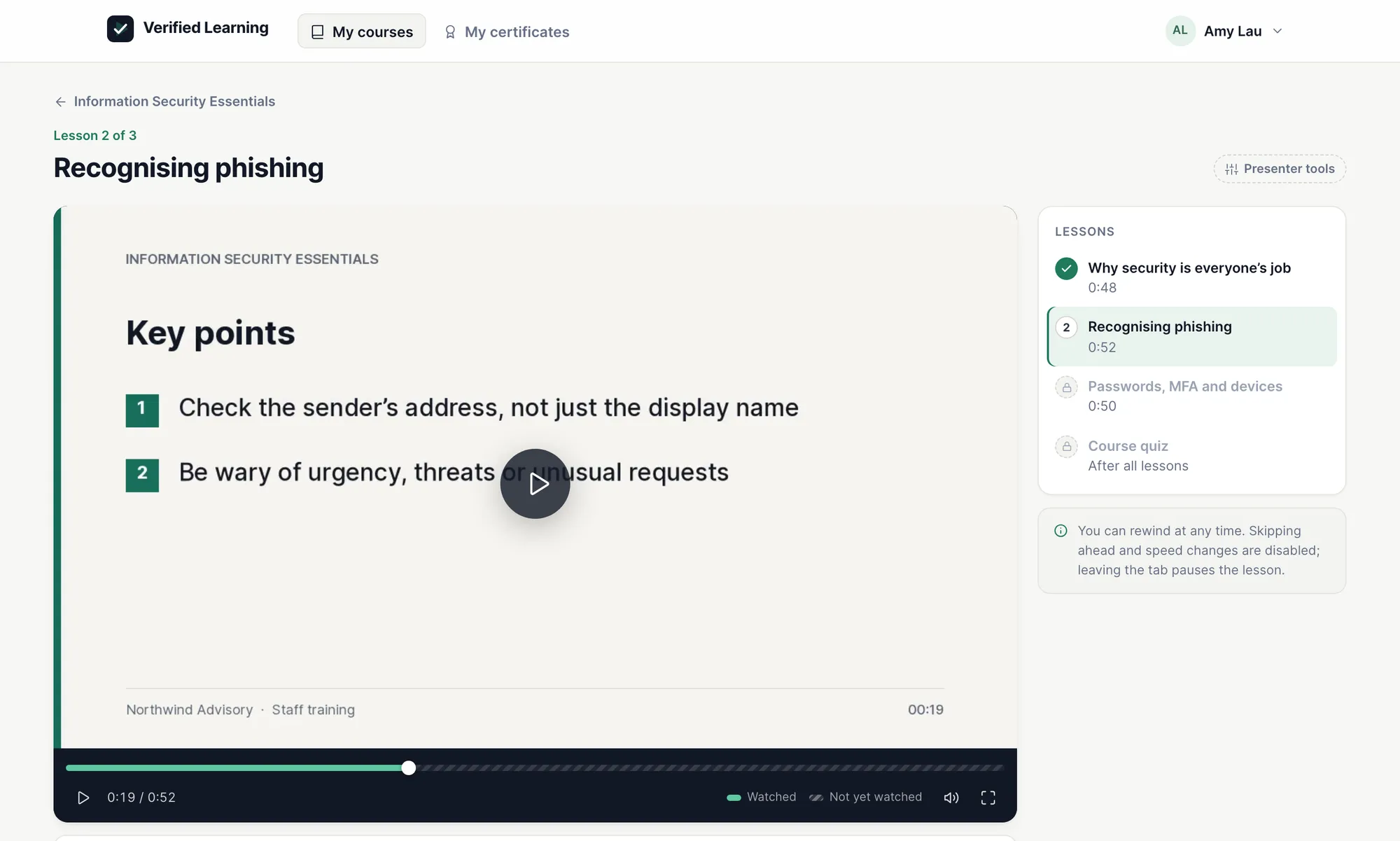
Server-verified watch tracking. Free seeking within watched content, locked beyond it, auto-pause when the window loses focus.
An end-of-course quiz unlocks once every video is watched. Pass it and the PDF certificate is issued on the spot.
A built-in dashboard with six breakdowns, Excel exports, and Excel templates for importing trainees, courses and quiz questions.
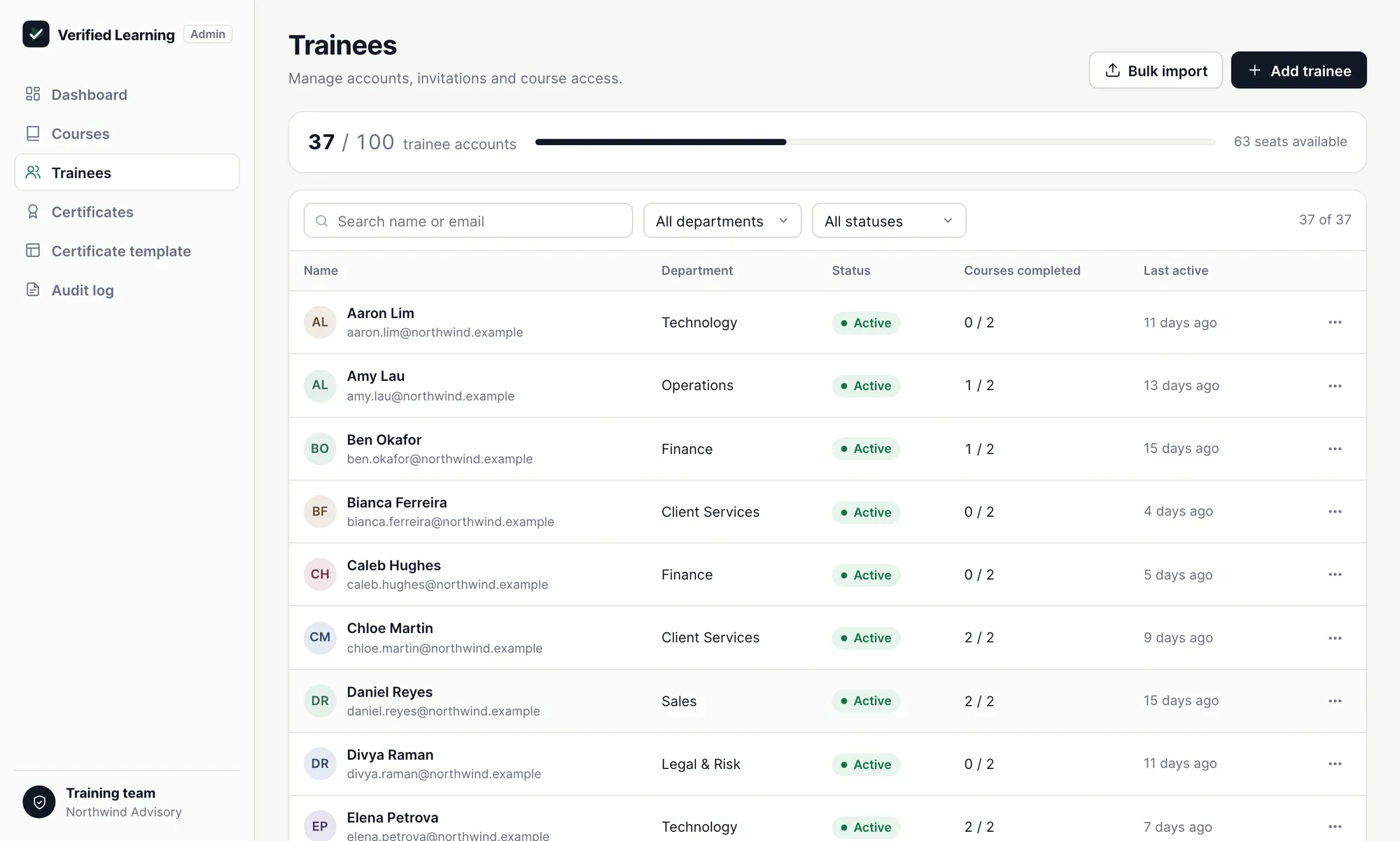
Add, invite, edit, deactivate and delete trainee accounts, assign courses, and reset quiz attempts — within a configurable account limit.
Versioned courses with video replacement, a quiz question bank per course, and a drag-and-drop certificate template designer.
Both portals ship bilingual. Trainees and administrators switch language at any time; the choice persists to their account.
Most platforms record progress by asking the browser how far the trainee has watched. That is a claim, not evidence. This player reports watched intervals continuously, and the server merges them and refuses to mark a video complete unless the coverage is genuinely continuous from start to finish.
Screen from the live demo, with sample data. Try it yourself
The rail is locked beyond the furthest point reached, and playback speed is fixed. Credited time never runs ahead of real time.
Within content already watched, trainees seek freely and rewatch as often as they wish.
If the training window is no longer the active screen, playback stops. Progress is saved at that point.
A session can be stopped and resumed any number of times. Lessons unlock in order, so long courses can be split across videos.
Seek-locking and watch verification are enforced on the server and are reliable. Auto-pause on focus loss is enforced in the browser and is best-effort — it stops the common case of a trainee leaving the video running in a background tab, but it cannot detect a second monitor or a trainee who leaves the room. We state this plainly so the control is not later mistaken for a guarantee of attention.
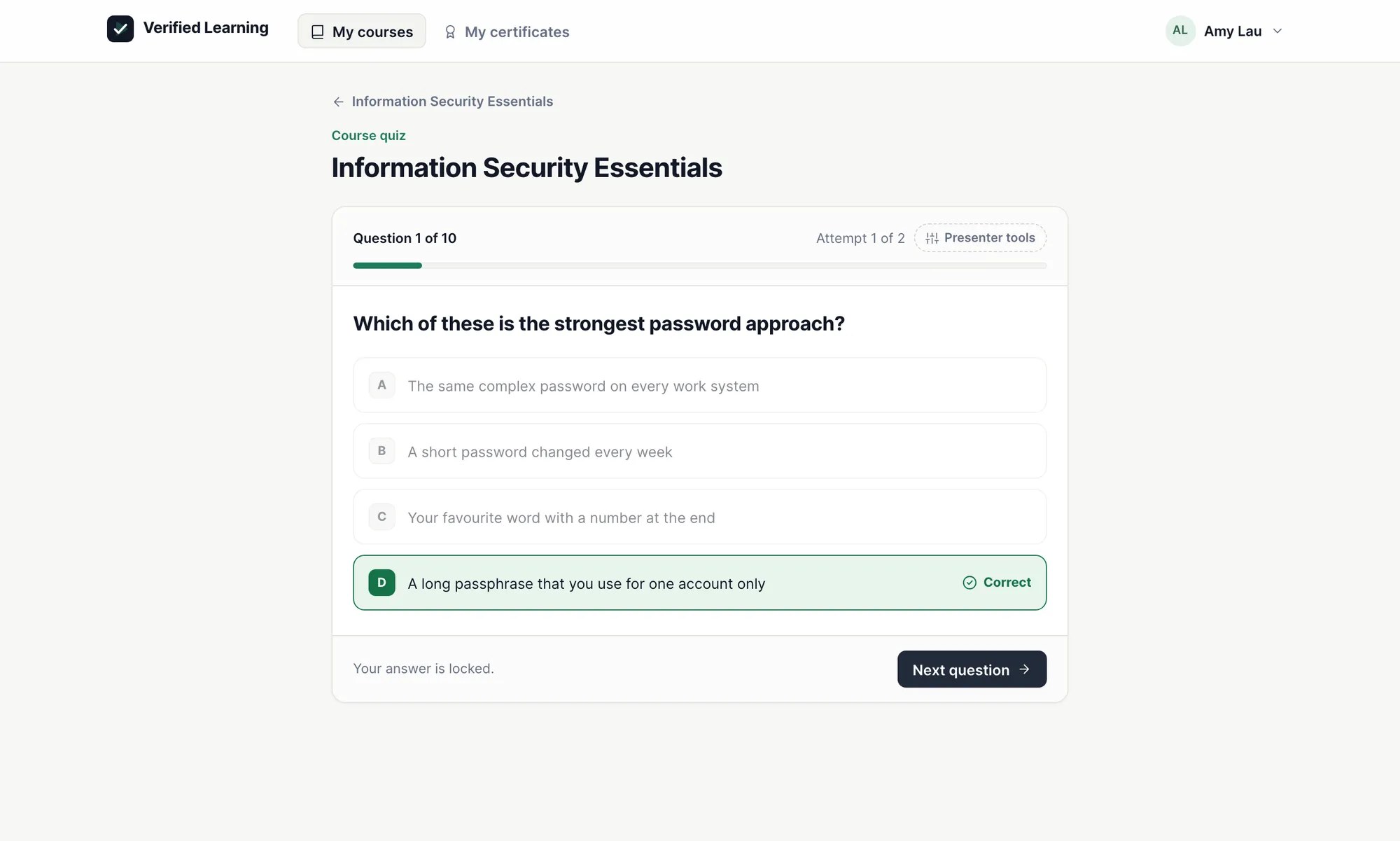
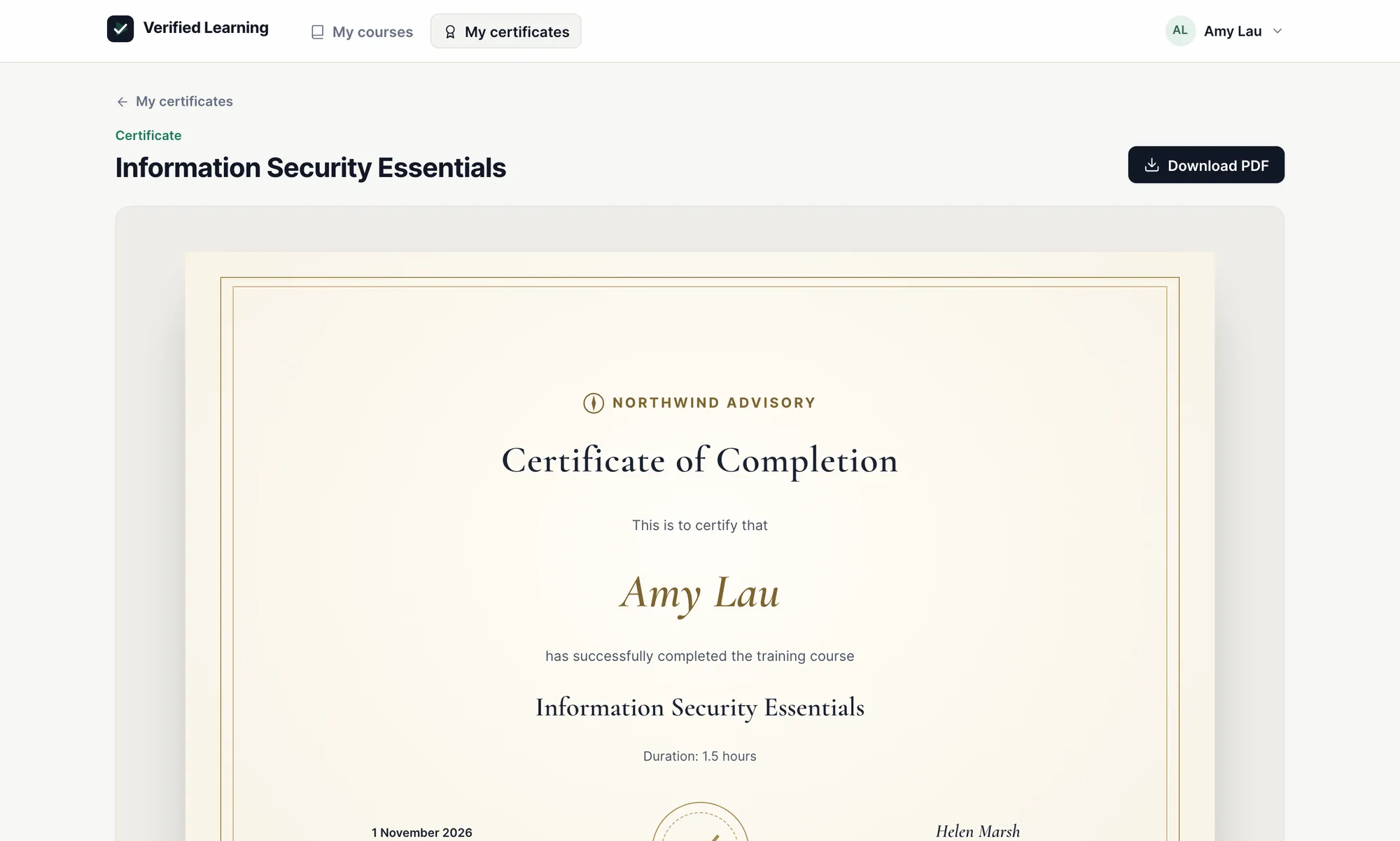
The end-of-course quiz unlocks only when the server confirms that every video has been watched in full. The moment a trainee passes, the certificate is generated and issued — no manual approval, no waiting.
Screens from the live demo, with sample data. Try it yourself
Watching every video is not enough on its own, and neither is the quiz: a certificate needs both.
Certificates are frozen to the course version and template version they were issued with. Replacing a video or redesigning the template later never changes a certificate already issued.
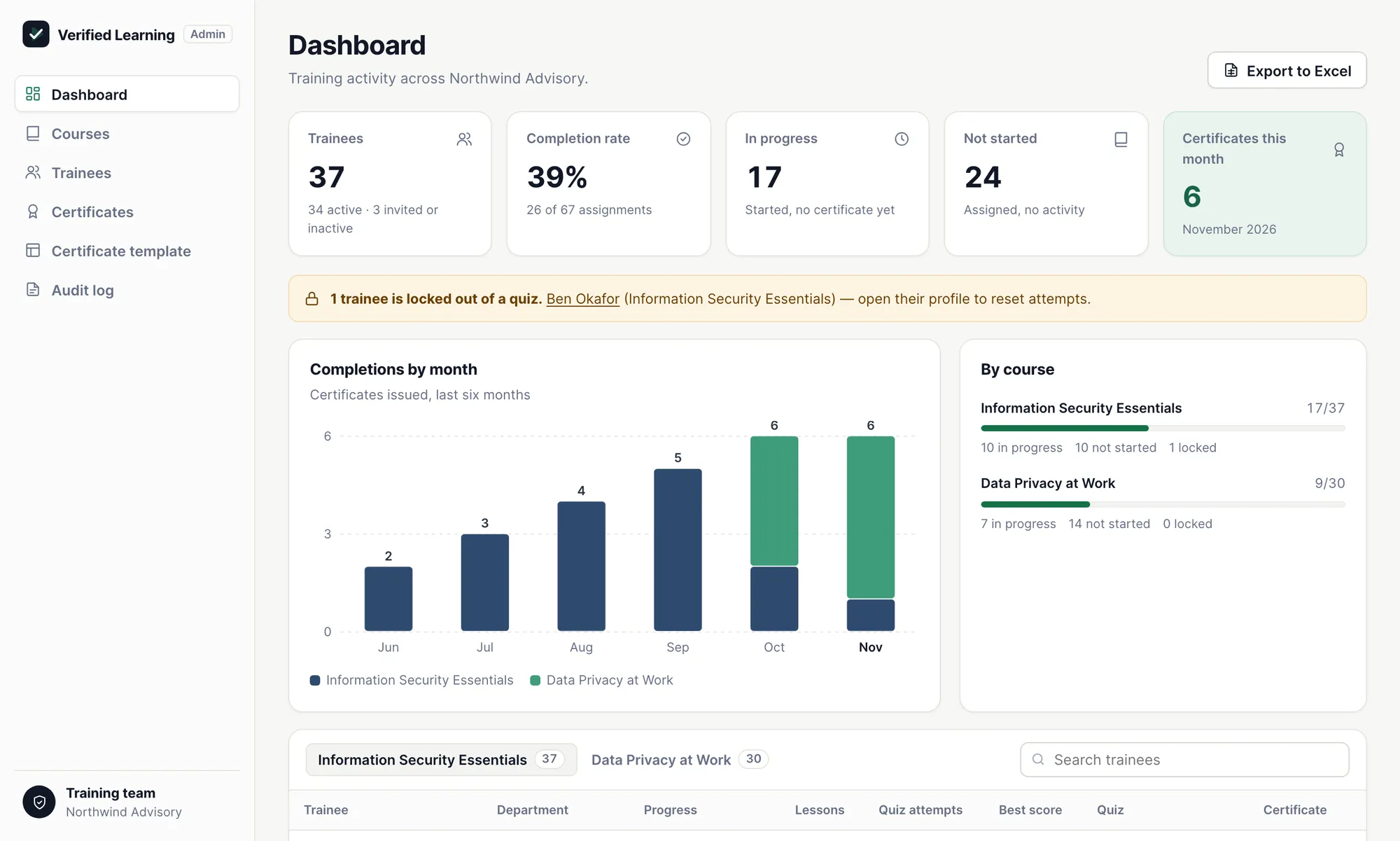
A Power BI–styled dashboard built into the platform — not a Power BI integration, so it needs no Microsoft licence. It shows trainees, completion rate, work in progress and certificates issued, flags anyone locked out of a quiz, and exports everything to Excel.
Screen from the live demo, with sample data. Try it yourself
“Completed” means a certificate has been issued — every video watched and the quiz passed.
Every import comes with a downloadable template, a description of each column with an example, and a preview that lists any problems row by row. Nothing is written until the preview is confirmed.
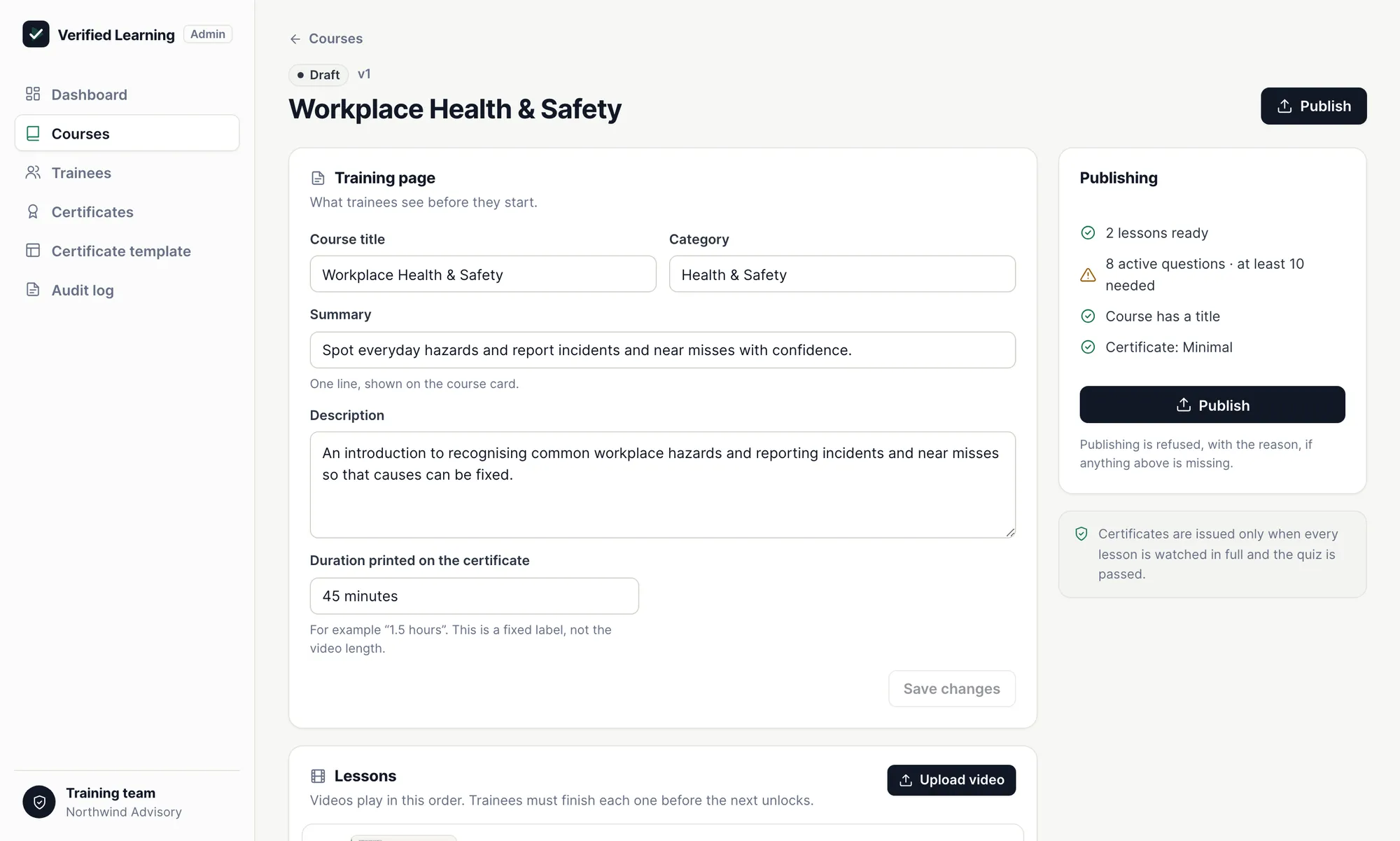
Write the training page, upload and replace videos, build the quiz bank, design the certificate and manage trainees — all from the administrator portal. Publishing is refused, with the reason, until a course has its videos and enough quiz questions.
Screens from the live demo, with sample data. Try it yourself
Upload, reorder and replace videos in a draft version. Publishing it never affects trainees who have finished or already started — they stay on the version they began.
Description, standards effective date, certificate duration, video language, a link to training material and a message from the organiser, for each course.
Four or five options per question, one correct, in English with optional Traditional Chinese. Questions are retired rather than deleted, and can be imported from Excel.
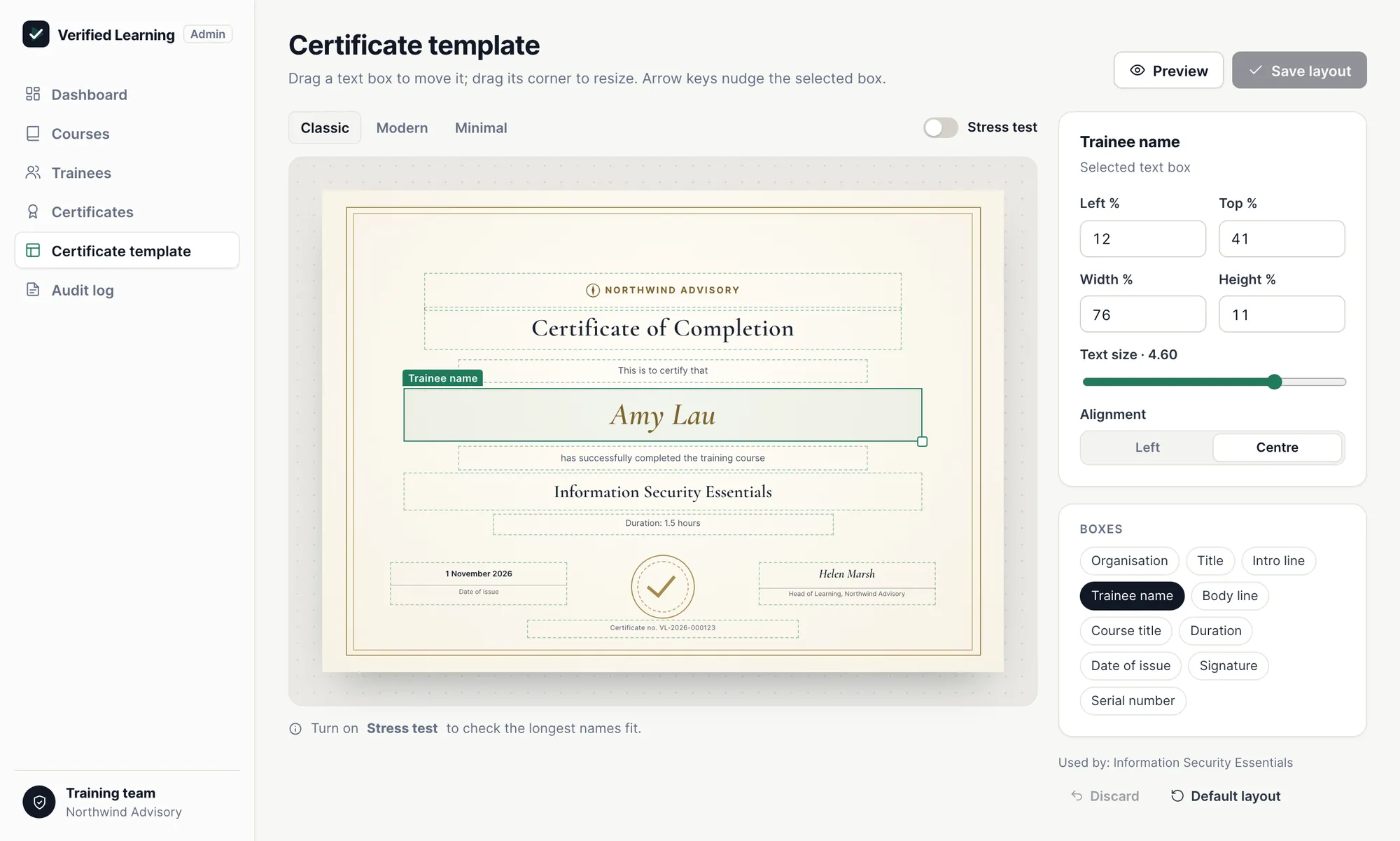
Drag-and-drop text, data fields, images, lines and a background on an A4 landscape page. A stress test checks that the longest names still fit before saving.
Add, invite, edit, deactivate and delete. Accounts that hold certificates are deactivated rather than deleted, so every certificate stays verifiable. Courses assigned individually or in bulk.
The number of administrator and trainee accounts is set per deployment. The trainee list shows seats in use, and adding or importing past the limit is refused with a clear message.
Every component below is a mature, widely deployed technology with a long support horizon. Nothing here is experimental. The result is a platform your IT team can assess quickly and maintain without specialist knowledge.
Argon2id password hashing, server-side sessions, and role checks on every request. Trainee and administrator boundaries are enforced on the server, never in the browser.
There is no fixed ceiling — storage scales on demand. The figure that actually matters for a video platform is monthly transfer, not capacity, which is why the platform uses Cloudflare R2.
The full scope, set out plainly as modules and deliverables, so what is built matches what was asked for.
| Module | What is delivered |
|---|---|
| Administrator portal | Secure login and access management for administrator accounts, up to the configured limit. Courses, quiz banks, certificate templates, trainees, dashboard, imports and exports, and audit log. |
| Trainee portal | Secure login, assigned course list, training page, integrated video player, end-of-course quiz, and certificates. |
| Trainee management | Add, invite, edit, deactivate and delete trainee accounts, or create them by self-registration or Excel/CSV import. Accounts holding certificates are deactivated rather than deleted. Courses assigned individually or in bulk. |
| Account limits | Configurable maximum number of administrator and trainee accounts, enforced on creation, import, self-registration and reactivation, with seats in use shown to administrators. |
| Video management and versioning | Upload, reorder and replace videos in a draft version of the course; videos are transcoded to 720p in the background. Publishing a new version leaves trainees who finished or started on their own version. |
| Anti-skip enforcement | Fast-forwarding into unwatched content is blocked and playback speed is fixed. Free seeking within content already watched. Playback pauses automatically when the training window is no longer the active screen. Unlimited resumes. |
| Completion tracking | Watched intervals are verified on the server. A video is marked complete only when coverage is genuinely continuous from start to finish; lessons unlock in order. |
| End-of-course quiz | Unlocks once every video is complete. Random draw from a per-course question bank with shuffled options; each answer locked and marked Correct or Incorrect without revealing the right one. 70% pass mark, limited attempts, administrator reset after lock-out. |
| E-certificate generation | Issued automatically only when every video is complete and the quiz is passed. Downloadable as PDF by the trainee at any time. Carries course title, trainee name, training duration, completion date and serial number. |
| Certificate template designer | Drag-and-drop editor for text, data fields, images, lines and background, with placement and overflow checks and a long-name stress test. Each course picks a template. |
| Certificate integrity | Each certificate is frozen to the course version and template version it was issued with. Later changes never alter a certificate already issued. |
| Statistics dashboard | Registered trainees, completion rate, in progress, not started and certificates issued, completions by month and by course, quiz lock-out alerts, and the six breakdowns, with filters. |
| Imports and exports | Excel templates and validated, preview-first imports for trainees, course assignments, courses and quiz questions. Exports of the dashboard, monthly report, trainee list, certificates (ZIP of PDFs) and audit log. |
| Training page | Per course: description, effective date of the standards covered, certificate duration, video language, link to training material, and a message from the organiser. |
| Audit log | A record of administrator actions and key trainee events — publishing, imports, quiz resets, account changes, certificates issued. |
| Bilingual interface | Both portals in English and Traditional Chinese throughout, with the language choice persisting to each account. |
| Deployment and hosting | Production environment setup, domain and email setup, initial system configuration, administrator training, and documentation. |
| Post-launch support | Defect resolution within the delivered scope after go-live. |
Stated plainly, so there is no ambiguity at delivery.
The live demo runs both portals in the browser with sample data. Nothing you do there is saved anywhere but your own browser, and it can be reset at any time.
Try the live demo